Cloud Dashboard · Placements
See who's finishing soon, and who's starting
All your current and new placements: how many are active, with which clients and what the coming months will bring.
Fortemporary staffing and secondment
Datafrom your ATS and back office
2 weeksuntil your own figures are ready
What it looks like
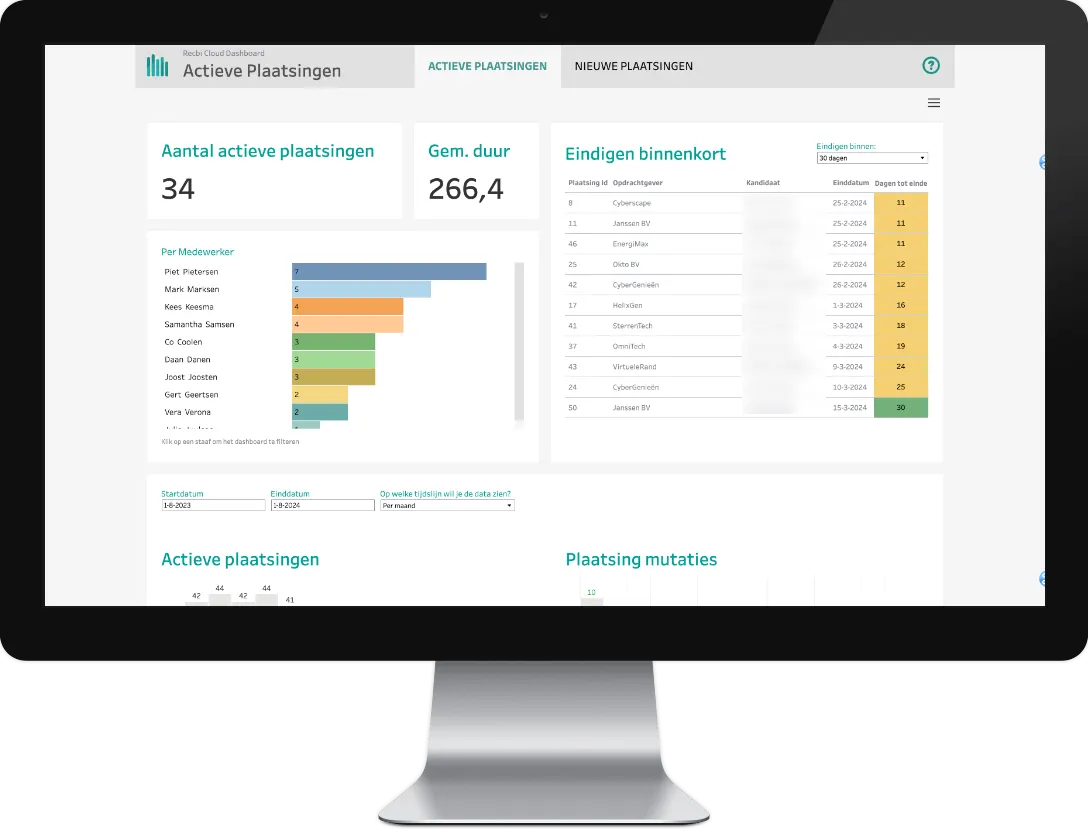
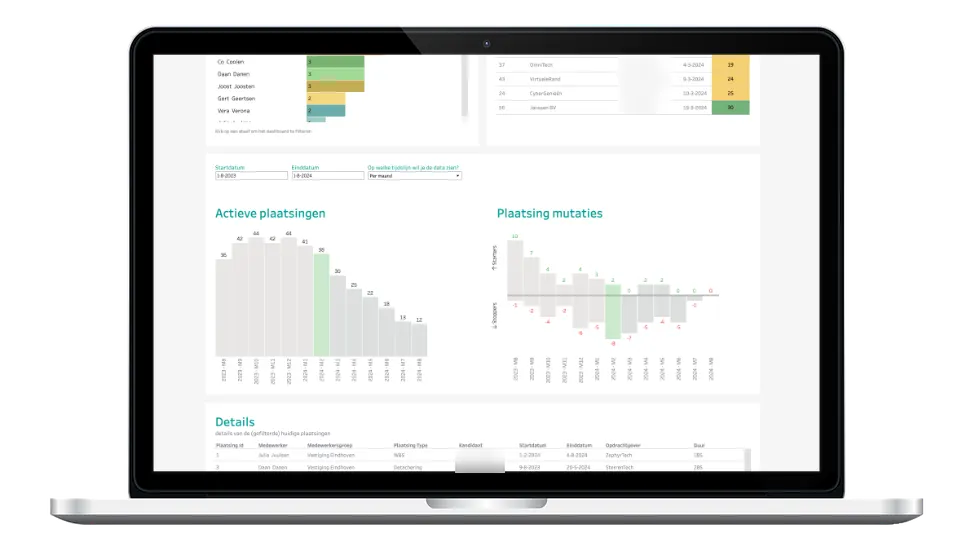
The Placements dashboard
Screenshots of the standard dashboard, with test data.
What it answers
The questions this dashboard answers
How many placements are active right now?
Which placements end in the coming months?
How do I avoid consultants on the bench that I can't invoice?
What you see
What you see in this dashboard
- Active placements on a timeline How the number developed over the past weeks, and what the coming period looks like.
- Starters and leavers Per week or month: who started, who left and what's still expected.
- Ending soon A list with candidate, client, end date and placement ID, so you can pull up the record straight away.
- Sources of placements Invest in the sources that actually deliver placements.
In short
KPIs, systems and who it's for
KPIs in this dashboard
- Active placements, now and over the coming months
- Starters and leavers per week or month
- Placements ending soon
- Placements by channel
- By branch, employee or client
Who it's for
See the Placements dashboard with your own figures
In a demo we show it using the questions you have right now. We'll also tell you which of your systems we connect.