Cloud Dashboard · Candidates
Know where your new candidates come from
How many candidates come in, through which channel and for which role? You see it straight away.
Forperm recruitment and in-house
Datafrom your ATS and back office
2 weeksuntil your own figures are ready
What it looks like
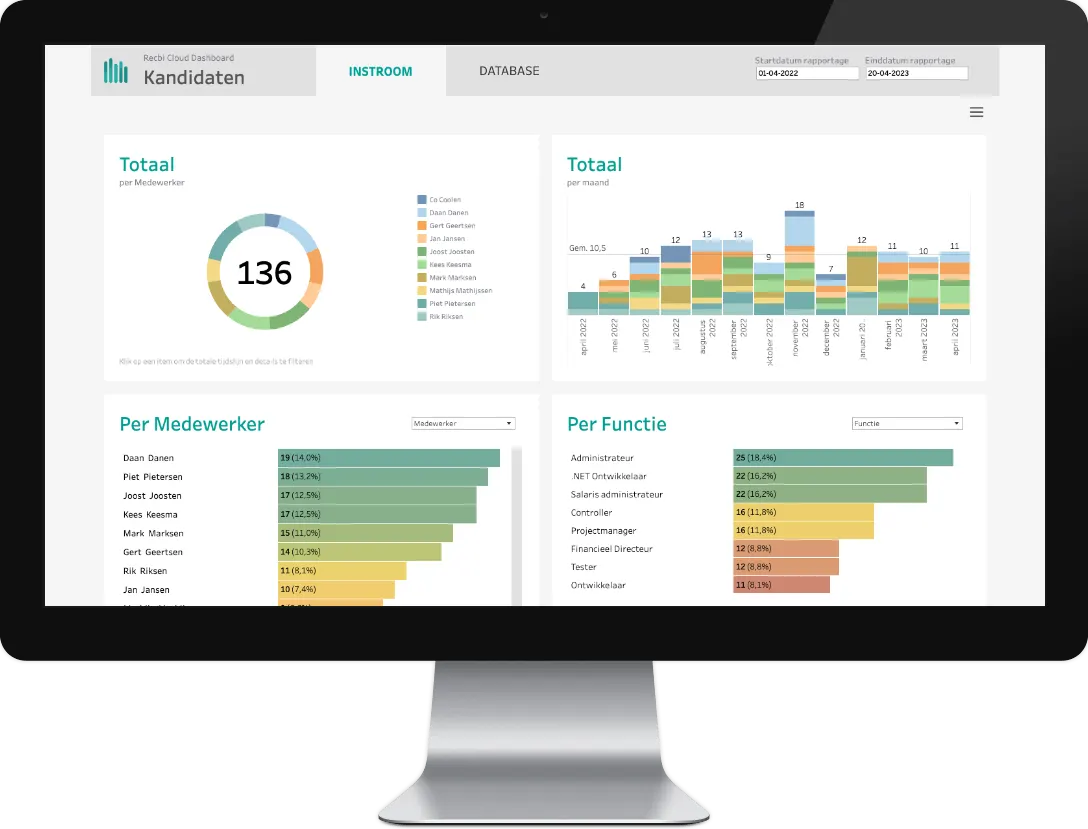
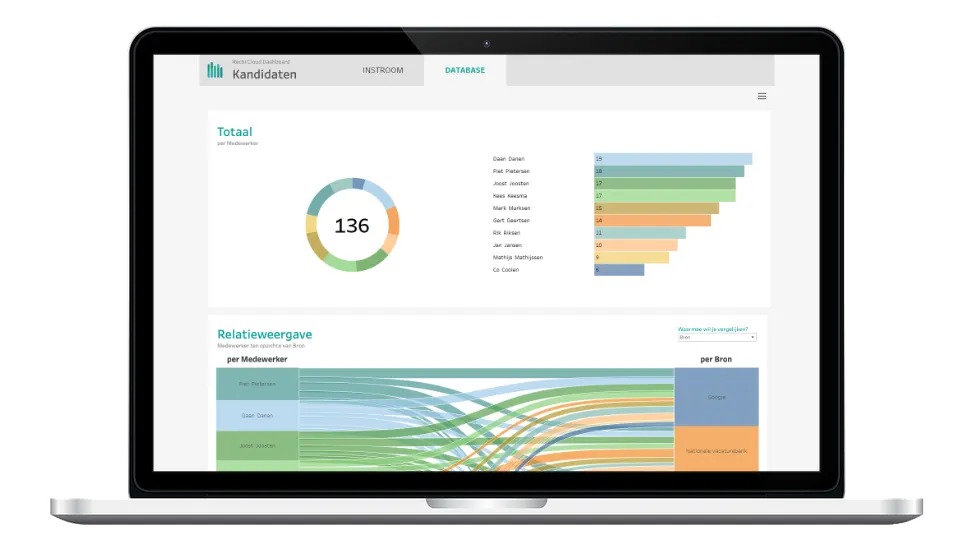
The Candidates dashboard
Screenshots of the standard dashboard, with test data.
What it answers
The questions this dashboard answers
How many new candidates are we attracting?
Through which channels do they come in?
Does the inflow match what our clients are asking for?
What you see
What you see in this dashboard
- Inflow over time Follow how the inflow of new candidates develops.
- Sources that work See which profiles come in through which channel. Keep doing what works and stop what brings in nothing.
- On the map See on a map where your candidates come from.
- Your candidate database Know the characteristics and preferences of the people in your database, and spot links you would otherwise miss.
In short
KPIs, systems and who it's for
KPIs in this dashboard
- Inflow of new candidates
- Inflow per channel
- Candidate locations on a map
- Characteristics and preferences in your candidate database
Who it's for
See the Candidates dashboard with your own figures
In a demo we show it using the questions you have right now. We'll also tell you which of your systems we connect.