Cloud Dashboard · Activities
See what your team does before the results come in
Tasks, notes, appointments and changes to matches on one timeline, so you can step in early in the funnel.
Forsecondment and perm recruitment
Datafrom your ATS and back office
2 weeksuntil your own figures are ready
What it looks like
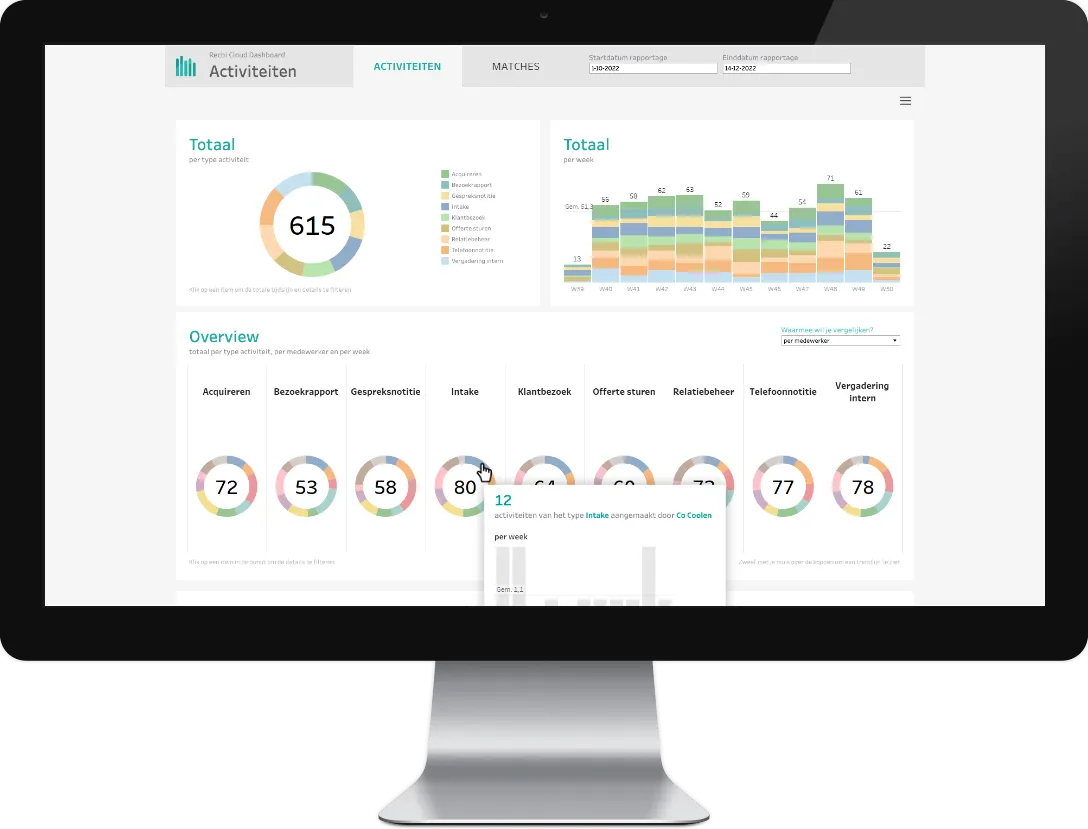
The Activities dashboard
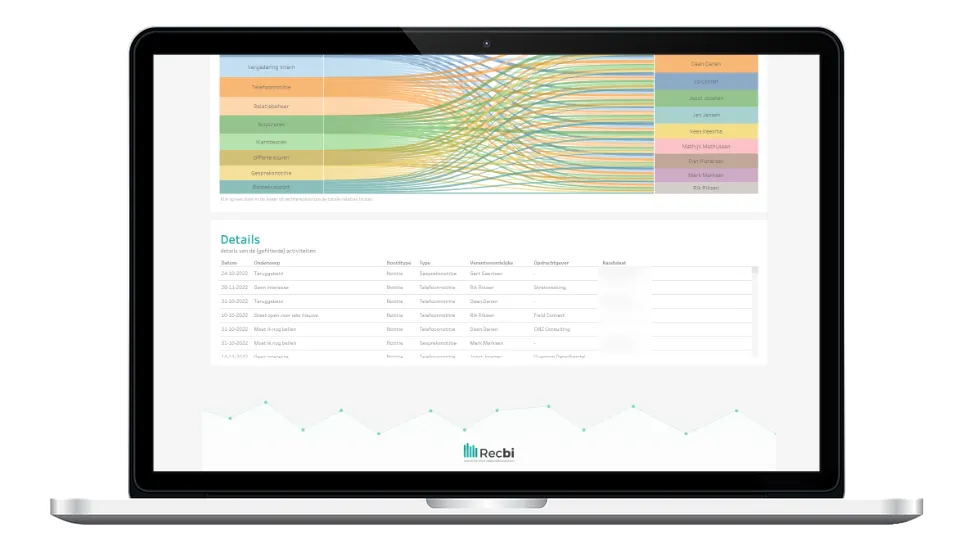
Screenshots of the standard dashboard, with test data.
What it answers
The questions this dashboard answers
What activities is my team working on?
How many first interviews did a colleague have this month?
What can branches learn from each other?
What you see
What you see in this dashboard
- On a timeline See how activities develop week by week or month by month.
- Filter on what matters to you By type, subtype, date, branch or employee. You can stack filters.
- Activities and matches together Logged activities next to changes in match status: how many screening calls, how many first interviews.
- Compare colleagues and branches Put them side by side and see what they can learn from each other.
In short
KPIs, systems and who it's for
KPIs in this dashboard
- Activities per week and per month
- Activities by type, branch or employee
- Screening calls and first interviews
- Candidates per match stage
Who it's for
See the Activities dashboard with your own figures
In a demo we show it using the questions you have right now. We'll also tell you which of your systems we connect.